Try the Helium 10 free trial that offers you tools for product research, listings, and inventory management.
This free trial lets you test its features before subscribing.
Does Helium 10 Offer Free Trials?
Helium 10 does not offer a free trial for its premium plans. However, it does provide a free plan that you can use indefinitely with limited features.
But we have an exclusive 40% off on Helium 10 for 6 months with our exclusive discount.
Here’s what you get with this free plan:
- This trial period allows Amazon sellers to explore the platform’s functionalities and determine if it aligns with their business needs and objectives.
- The free plan is an excellent opportunity for users to experience the key features that Helium 10 offers without any financial commitment.
How To Use Helium 10 Free Plan?
Follow the 6 easy steps below to sign up Helium 10 free plan.
Step 1: Visit the official Helium 10 website.

Step 2: Click on Sign up for Free in the top right corner of the page.

Step 3: Create an Account by entering all the necessary information and enjoy Helium 10 for free.

Step 4: Answer a few questions about your user type and profession to help Helium 10 personalise your experience.
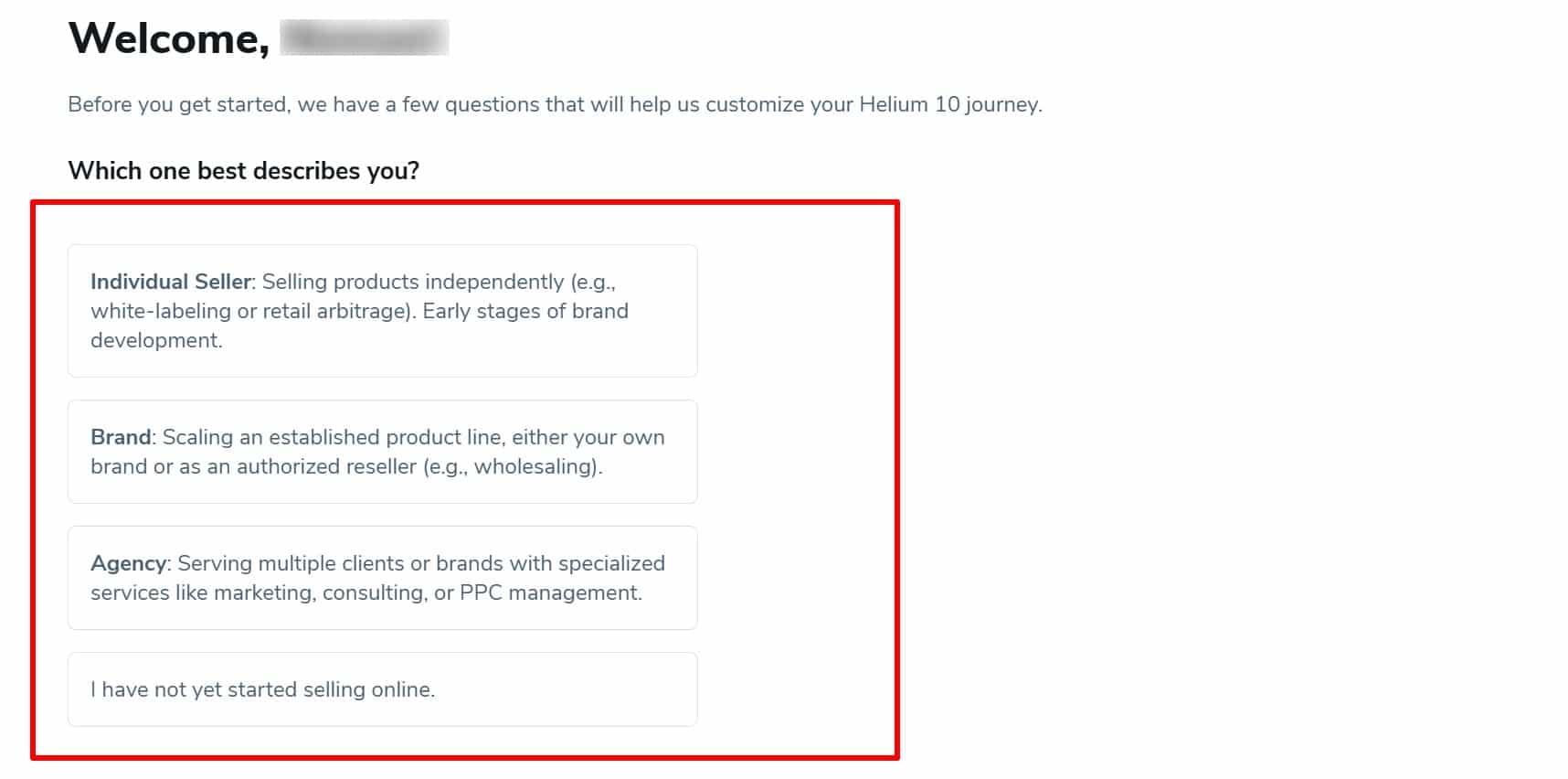
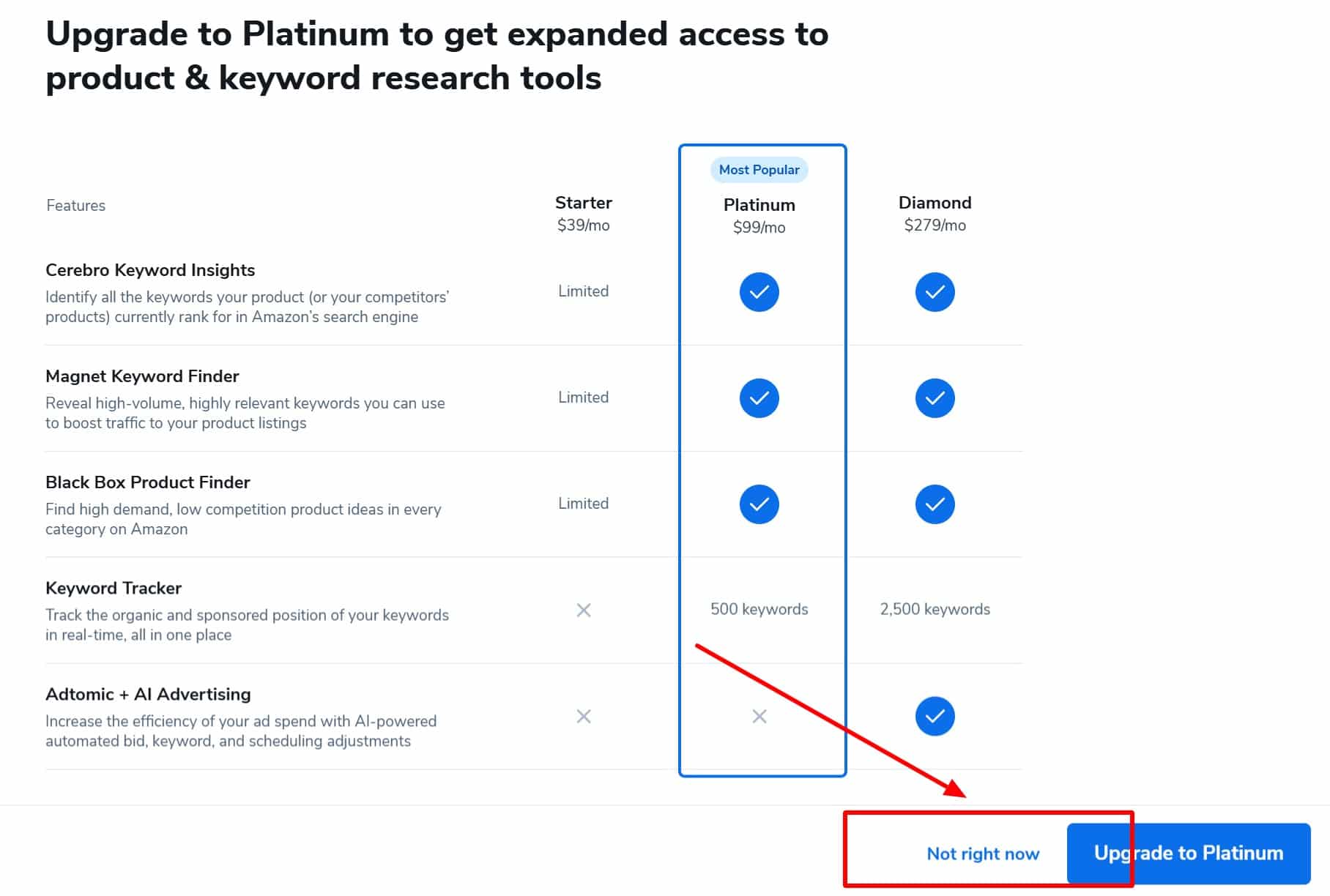
Step 5: Click Not right now to skip the payment option and continue using Helium 10’s free trial.
Step 6: Based on your answers, Helium 10 will suggest tools for you. Click Go to my dashboard, You’ll be taken to the Helium 10 dashboard.
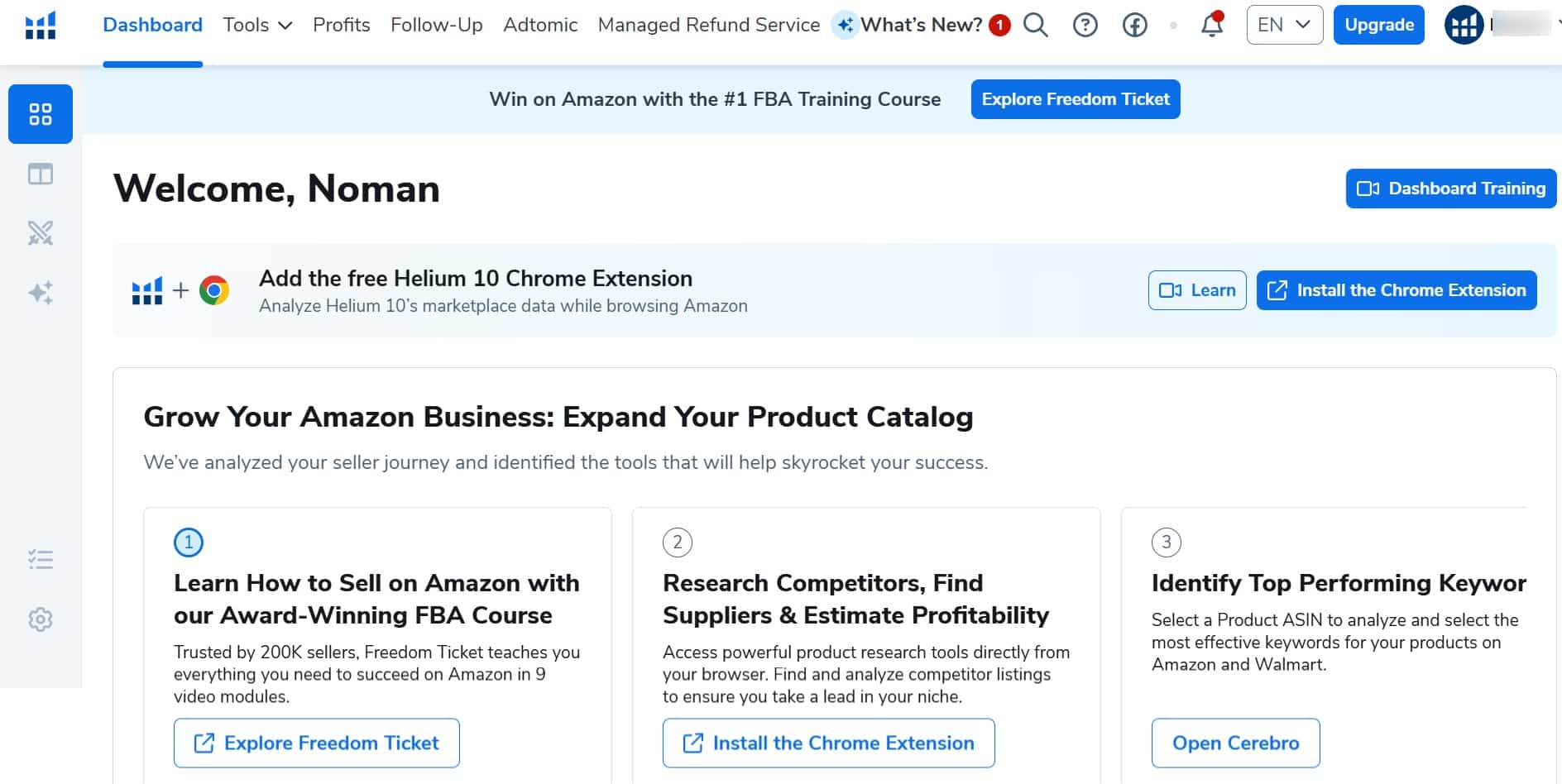
That’s it! You’ve successfully claimed your Helium 10 free plan.
What Will You Get With The Helium 10 Free Trial?
Helium 10 free plan offers limited access to key tools, letting you explore its features at no cost.
Here’s a Helium 10 available tools, their functions, and limits.
| Helium 10 Tool Name | Function | Usage Limits |
| Black Box | Product discovery | 5 uses |
| Xray | Amazon product research | 10 uses |
| Xray for Walmart | Walmart product research | 1,000 requests |
| Listing Analyzer | Listing quality check | 2 uses |
| Listing Builder | Listing creation | 2 suggested searches/month (no Amazon sync) |
| Scribbles | Listing optimization | Limited 30-day use |
| Frankenstein | Keyword organization | Limited 30-day use |
| Alerts | Product monitoring | 2 ASINs |
| Inventory Management | Stock tracking | Limited 30-day use |
| Market Tracker | Product Monitoring | Up to 1 market |
| Profits | Sales performance tracking | Limited 30-day use |
| Profits for Walmart | Walmart sales tracking | Market Insights |
What Are The Features Included With Helium 10 Free Plan?
If you want to know why you should choose Helium 10 as your Amazon Seller Software, then here are some key features:
- Product Research Tools: Helium 10 has many product research tools, like Black Box and Xray, allowing users to find new product ideas and niches on Amazon by analyzing sales trends, competition, and market demand.
- Keyword Research: With tools like Cerebro and Magnet, Helium 10 conducts keyword research to optimize its product listings, enhance visibility, and improve ranking on Amazon search results.
- Listing Optimization: Scribbles and Frankenstein are tools within Helium 10 that assist users in optimizing their product listings and increasing sales.
- Competitor Analysis: Helium 10 offers features like Market Tracker and Alerts to monitor competitor strategies and track product performance to ensure you are ahead of the curve.
- Inventory Management: Tools like Inventory Protector and Refund Genie will help you manage your inventory efficiently, maintain stock levels, and automate refunding.
- Dashboard Analytics: Helium 10 has a financial analytics dashboard, allowing them to track sales, expenses, and profits and display them all in one place.
- Expert Help: With a Premium Plan, you can get training and personalized customer support as an Amazon seller and learn from successful business leaders.
What Are The Limitations Of The Helium 10 Free Account?
The free plan gives limited access to Helium 10 tools, but some key features are not available at all. These missing tools are essential for scaling an Amazon business.
| Helium 10 Feature | Used For |
|---|---|
| Cerebro | Finding competitive keyword data |
| Magnet | Discovering high volume keywords |
| Keyword Sales | Discovering high-volume keywords |
| Advanced Brand Analytics | Analyzing markets and competitors |
| Keyword Tracker | Tracking keyword rankings |
| Refund Genie | Automating refund management |
| Learning Resources | Seller training, PPC strategies, and exit planning |
If you need full access to these features, upgrading to a paid plan is necessary.
What Are The Helium 10 Pricing Plans?
Helium 10 offers three subscription plans for different groups of users.

- Starters Plan: This is the plan for Amazon’s new business. It comes at $39/month for all advanced Helium On features with limited access.
- Platinum Plan: This is Helium 10’s most popular plan. It costs $99/month and gives you more access to all its advanced features.
- Diamond Plan: This plan is for large businesses and provides unlimited access to Helium 10 features. It costs $279/month.
However, with annual billing, you can save up to 25% on all plans and get an additional Helium 10 discount.
What Are The Helium 10 Add-Ons?
Helium 10 add-ons give you additional information on two more user features.
- Helium 10 Mobile App makes managing their Amazon business easier from anywhere.
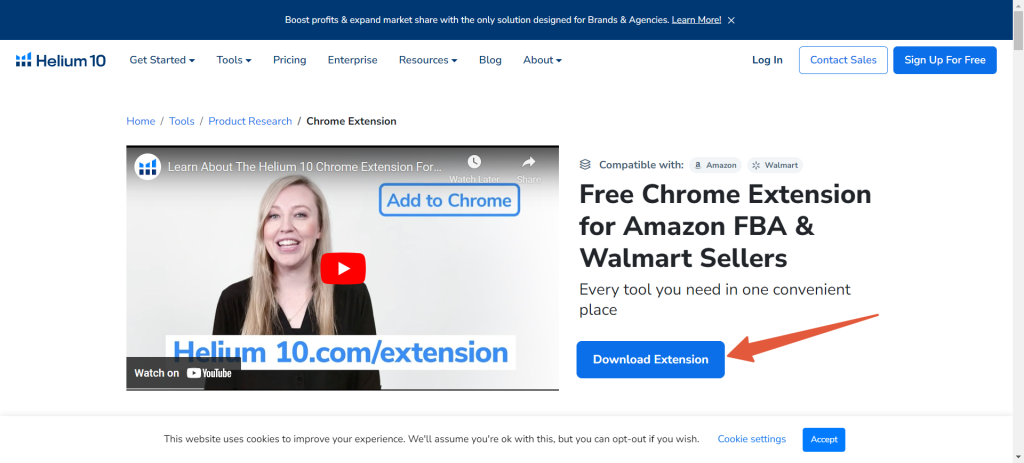
- Helium 10 Chrome Extension gives real-time data and insights while browsing Amazon. To download the Chrome Extension, search for the Helium 10 Chrome extension on the official website and press the Download Extension button to add it to your Extension list on Google Chrome.
How Can I Upgrade My Plan?
Follow the 3 simple steps below if you want to upgrade from a Helium 10 free trial account.
Step 1: Log in to your Helium 10 free trial account.
Step 2: Go to your dashboard, go to the screen’s top right-hand corner, and select Upgrade Plan.
Step 3: Choose a Plan that best suits your needs and press on buy now to complete your transaction and enjoy your Helium 10 premium account.
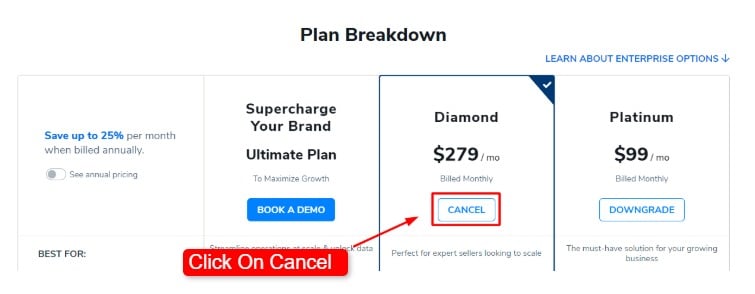
How To Cancel Helium 10 Subscription?
You can easily cancel your Helium 10 subscription at any time and upgrade whenever you choose. The process is straightforward, and changes take effect immediately.
Refer to our guide to understand how cancellation works, what happens to your access, and how upgrades apply.
Conclusion
Helium 10’s free trial lets all Amazon sellers explore its tools and features without spending any money. The platform provides all the features sellers need to maximize profits and succeed on the Amazon marketplace.
With lifetime access to the free trial, you can fully use Helium 10 to see how it supports your Amazon journey.
You can make informed decisions, select the best plan for your needs, and grow your business on Amazon.
FAQs: Helium 10 Free Trial
Is Helium 10 Free?
Yes, Helium 10 has a free plan with lifetime access to most of its advanced marketplace research and profit tools for all users.
What Is The Helium 10 Free Trial Code?
There is no Helium 10 free trial code. You can sign up for a Helium 10 free trial by creating a Helium 10 free trial account and using Helium 10 for free.
Is Helium 10 Chrome Extension free?
Yes, the Helium 10 Chrome extension is free for all users. You can download the Helium 10 Chrome extension from the official website of Helium 10.
Does Helium 10 Offer a Free Trial For Amazon Sellers?
Yes, Helium 10 offers a free trial for Amazon sellers. It provides limited access to some tools.