
Understand how the Helium 10 refund policy works and follow an easy step-by-step process to cancel your subscription, along with important details on eligibility and billing.
How To Cancel Helium 10 subscription?
Follow these simple 6 steps to cancel or delete your Helium 10 Subscription.
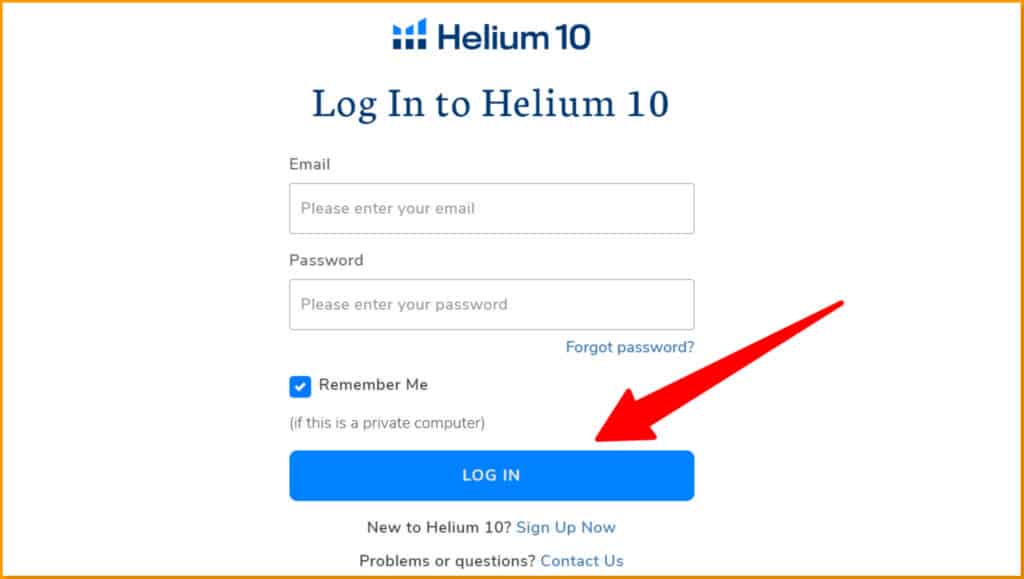
Step 1: Visit the Helium 10 official website and log in to your account with your email and password.
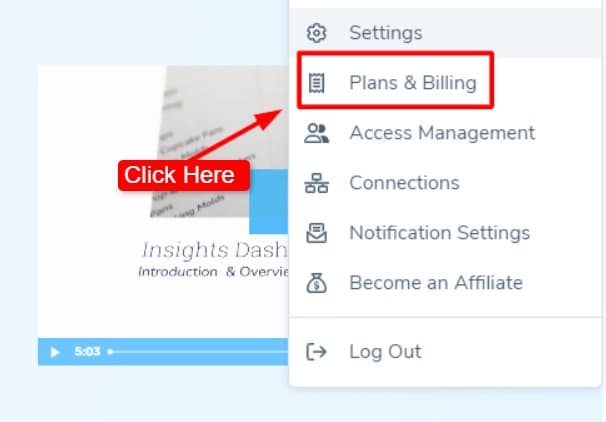
Step 2: Click the profile icon and choose Plans and Billing.
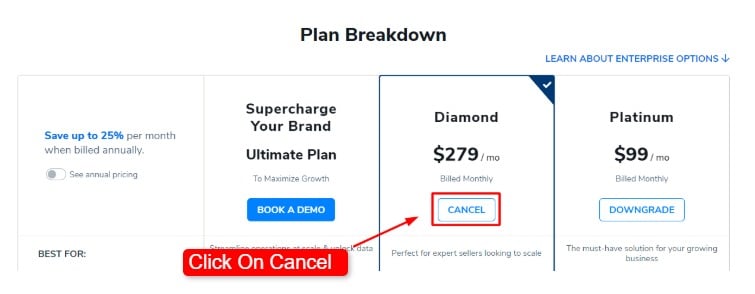
Step 3: Scroll down to see your current plan, and click the Cancel button under your active plan.
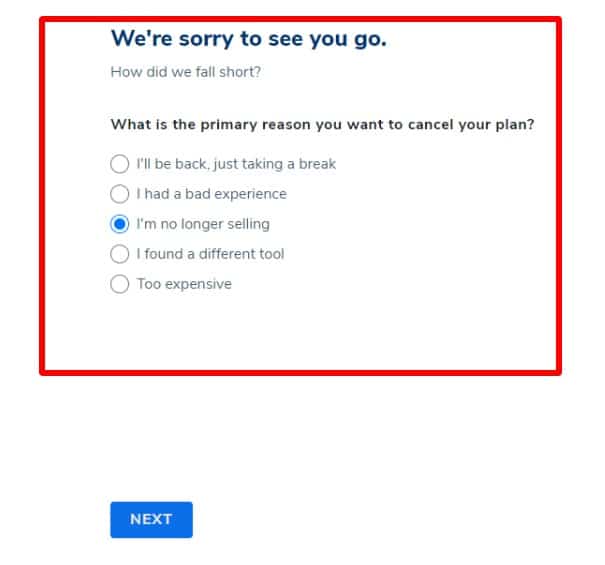
Step 4: Choose your reason for cancelling your Helium 10 subscription from the options shown.
Step 5: Helium 10 may offer other choices, like pausing or switching plans. If you still want to cancel, click Continue.
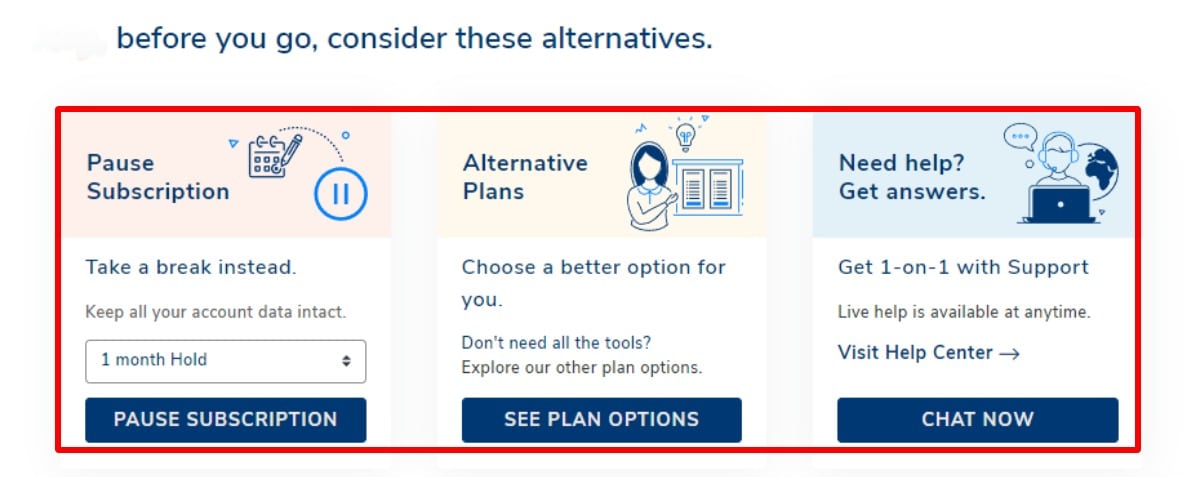
Step 6: Finally, click the final confirmation button to finish cancelling.
How To Request A Refund For Your Helium 10 Membership?
Follow these 6 simple steps to get your money back.
Step 1: Log in to your Helium 10 account using your username and password.

Step 2: Click on the support icon (a circle with a question mark).
Step 3: Select Contact Support from the options shown.
Step 4: Fill out the refund request form with the needed details.
Step 5: Explain why you are asking for a refund and click on Submit.
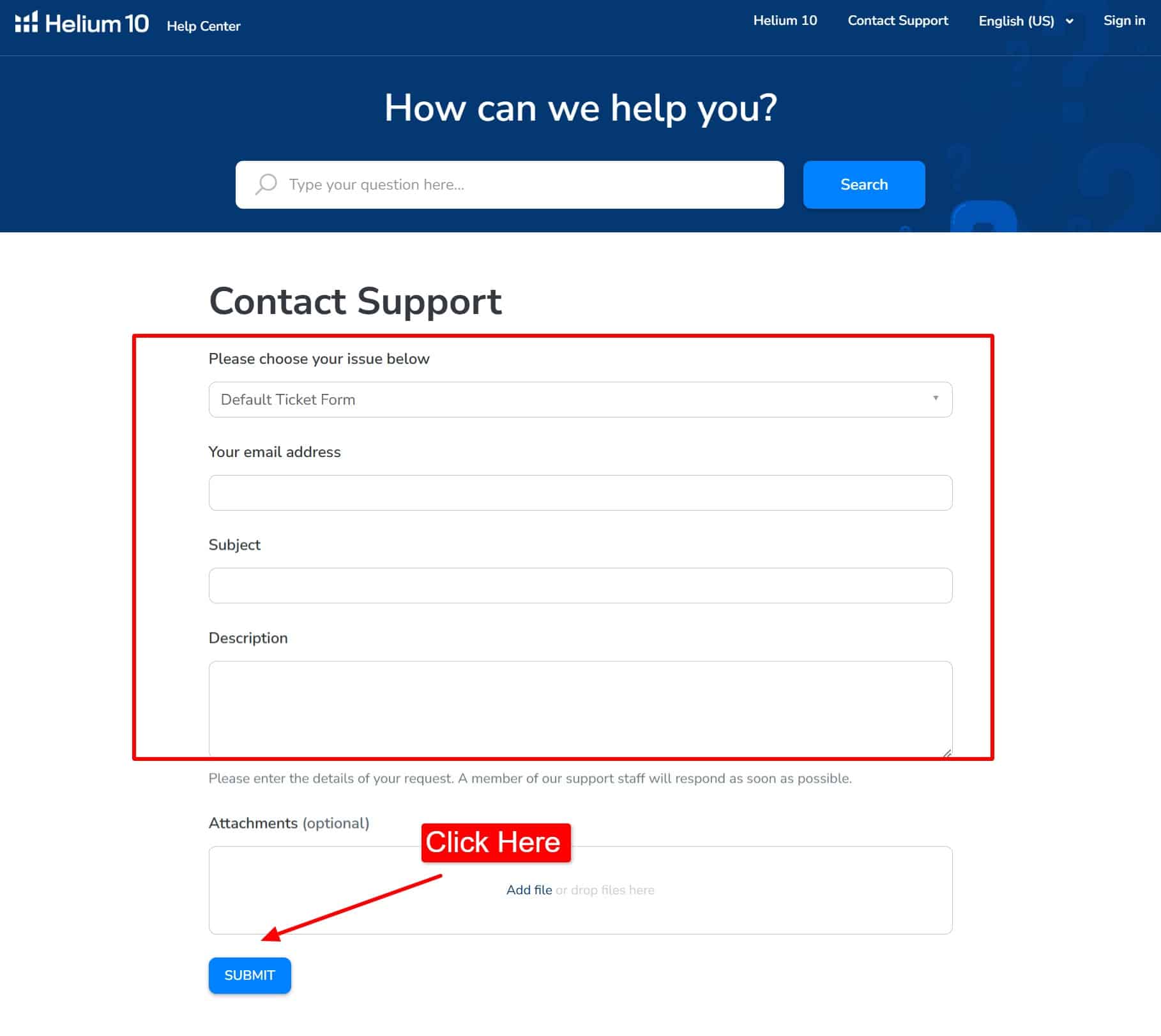
Step 6: Wait while Helium 10 reviews your request to see if you qualify, and the refund will be processed as soon as possible if you meet all the criteria.
What Happens After You Cancel Your Helium 10 Plan?
When you cancel your Helium 10 plan, here’s what usually happens:
- Free access stays: You can still use the Helium 10 free plan to access resources like blogs, training content, and limited versions of the tools.
- Saved data access ends: Helium 10 may keep your data for a short time, but you cannot view or use it without an active plan.
- Billing rules apply: Most plans do not offer refunds for early cancellation, based on Helium 10’s refund policy.
- Subscription timing: Your plan ends at the close of the billing cycle or right away, depending on your plan settings.
- Paid features stop: Tools for keyword tracking, product research, and competitor analysis become unavailable.
- Future savings: If you return later, you can lower your cost by signing up again with a Helium 10 discount during active promotions.
What Can You Do Instead Of Cancelling Your Helium 10 Subscription?
Before cancelling your Helium 10 subscription, consider these options:
- Use Helium 10 only when needed: Subscribe during busy selling periods and cancel when your business slows down.
- Downgrade to a lower plan: Switch to a cheaper plan to keep essential tools while reducing your monthly cost.
- Contact Helium 10 support: Ask the support team about available discounts, account options, or other solutions before cancelling.
- Pause your subscription: Helium 10 allows you to pause your subscription for up to 6 months, so you can take a break without losing your account data.
What Should You Consider Before Cancelling Your Helium 10 Subscription?
Before cancelling your Helium 10 subscription, keep these points in mind:
- Tool access: You’ll lose access to premium tools like Keyword Tracker, PPC Optimizer, and other paid features after your subscription ends.
- Billing cycle: Check your current billing period before cancelling. If you’re on an annual plan, review the cancellation and refund terms.
- Account reactivation: If you plan to subscribe again later, review Helium 10’s reactivation process and current pricing.
- Customer support: Premium customer support is no longer available after your paid subscription expires.
- Saved data: Download any reports or important data before cancelling, as access to certain account data and premium features may be limited after your subscription ends.
Conclusion: Cancel Helium 10 Subscription
Cancelling your Helium 10 subscription is straightforward. Check your billing date, cancel your plan from the account settings, and confirm the cancellation through the email sent by Helium 10.
If you plan to return later, Helium 10 keeps your data ready. Plus, during Black Friday, Cyber Monday, Prime Day, and other special deals, you can re-subscribe at discounted rates, making it easy to use the tool only when it fits your business goals.
Frequently Asked Questions
Can I Get A Refund From Helium 10?
Yes, you can get a refund from Helium 10. All you need to do is contact the customer support of Helium 10.
Can You Pause Your Helium 10 Subscription?
Yes, pausing a Helium 10 subscription for one, three, or six months is easy. This flexibility is available for the sake of Helium 10 users.
How Much Is a Helium 10 Subscription?
Helium 10 subscription costs range from $29 to $229 monthly if you choose the annual plan. The monthly plan offers a subscription at $39- $279 per month, depending on your business’s package level.