Helium 10 does not offer a free trial for its paid plans. Instead, you can use the Helium 10 Free plan to access selected tools for product research, listing optimization, and inventory management.
The Free plan lets you explore Helium 10 before upgrading to a paid subscription.
Does Helium 10 Offer A Free Trial?
No, Helium 10 does not offer a free trial for its premium plans. Instead, it provides a free plan that you can use without a time limit.
The free plan includes limited access to Helium 10 tools, making it a good way to explore the platform before upgrading.
If you want full access to premium features, you can use our exclusive 35% off Helium 10 coupon code to get more savings for the first 6 months.
Here’s what you get with this free plan:
- This trial period allows Amazon sellers to explore the platform’s functionalities and determine if it aligns with their business needs and objectives.
- The free plan is an excellent opportunity for users to experience the key features that Helium 10 offers without any financial commitment.
How To Use Helium 10 Free Plan?
Follow the 6 easy steps below to sign up Helium 10 free plan.
Step 1: Visit the official Helium 10 website.

Step 2: Click on Sign up for Free in the top right corner of the page.

Step 3: Create an Account by entering all the necessary information and enjoy Helium 10 for free.

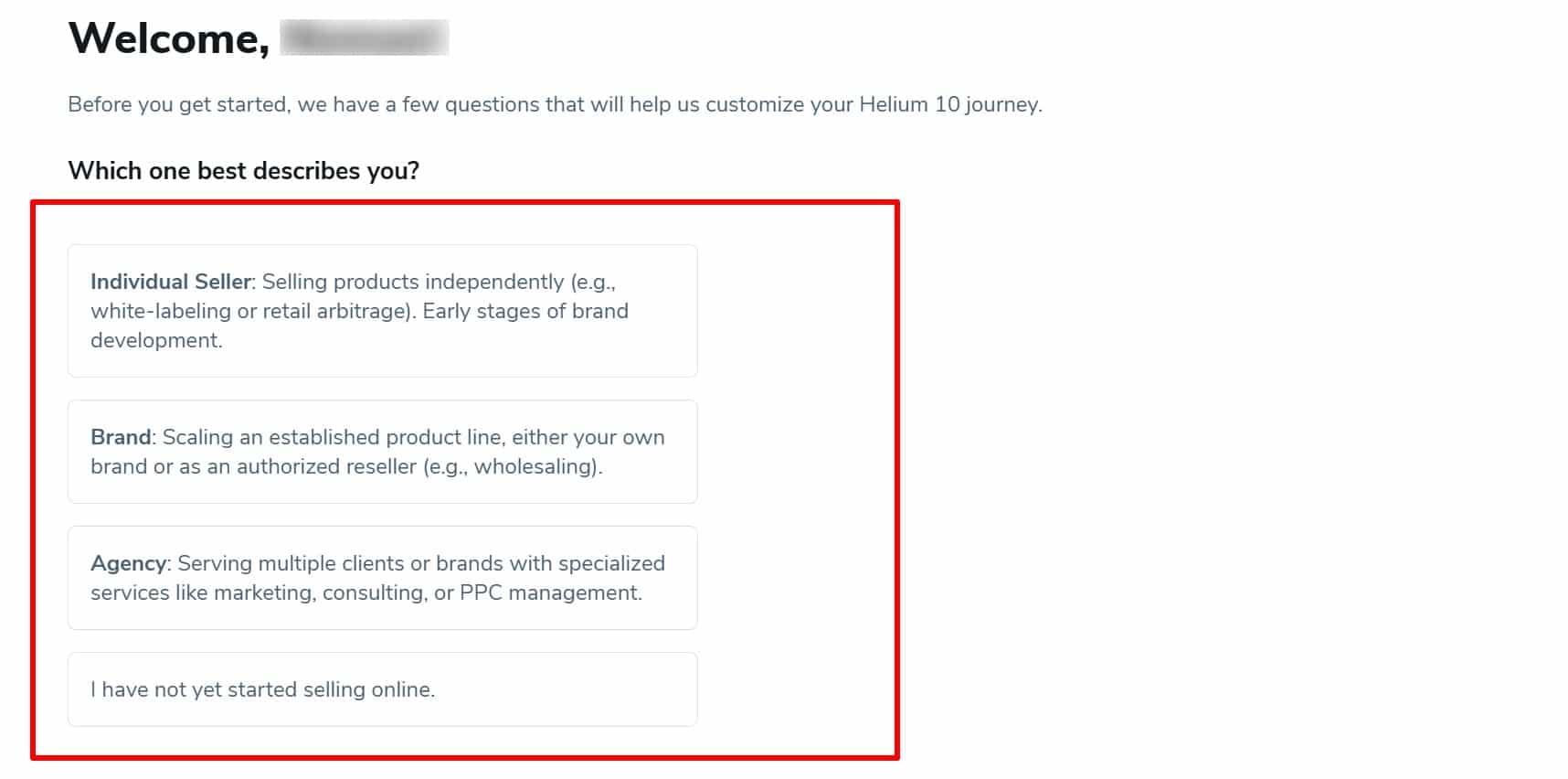
Step 4: Answer a few questions about your user type and profession to help Helium 10 personalise your experience.
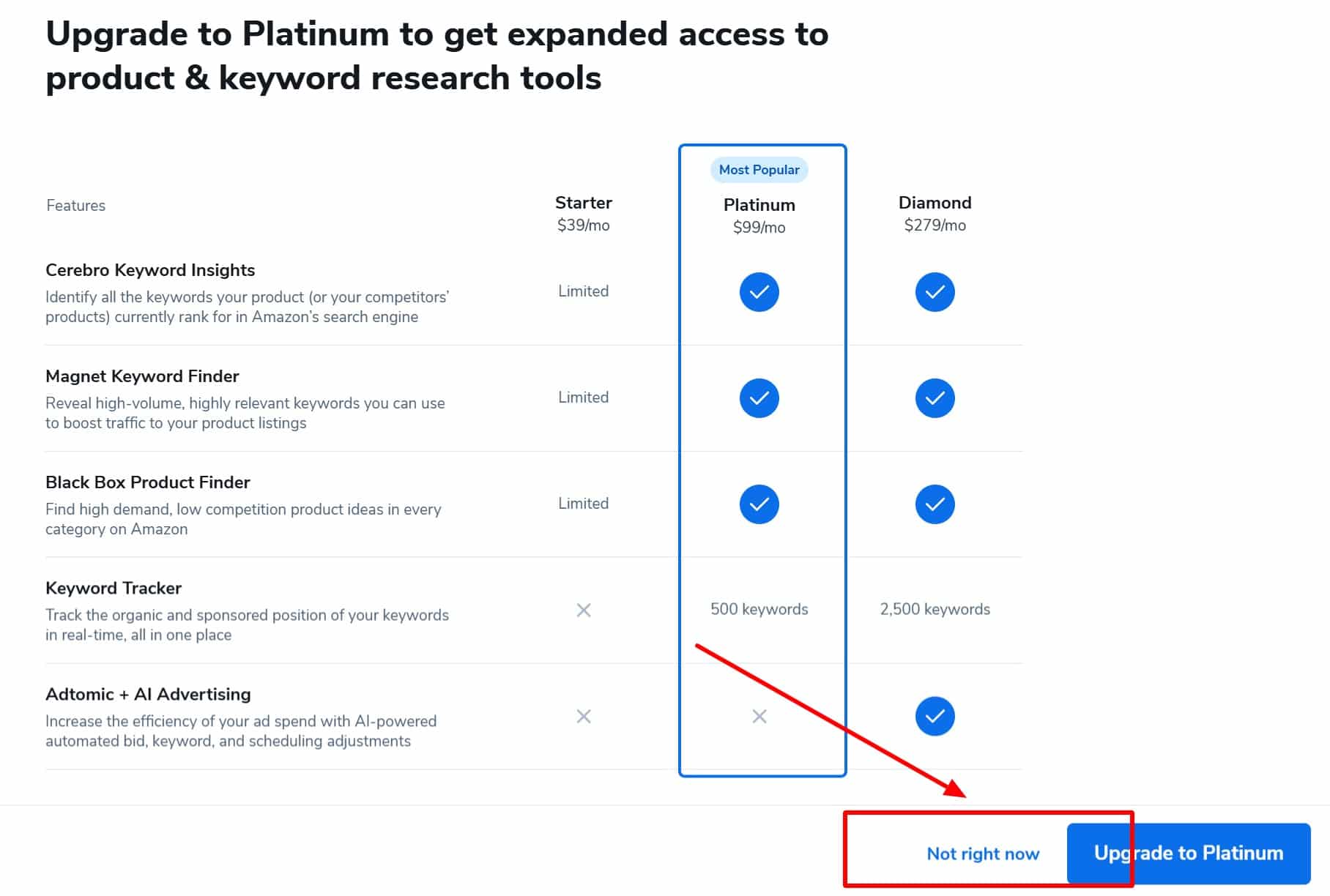
Step 5: Click Not right now to skip the payment option and continue using Helium 10’s free plan.
Step 6: Based on your answers, Helium 10 will suggest tools for you. Click Go to my dashboard, You’ll be taken to the Helium 10 dashboard.
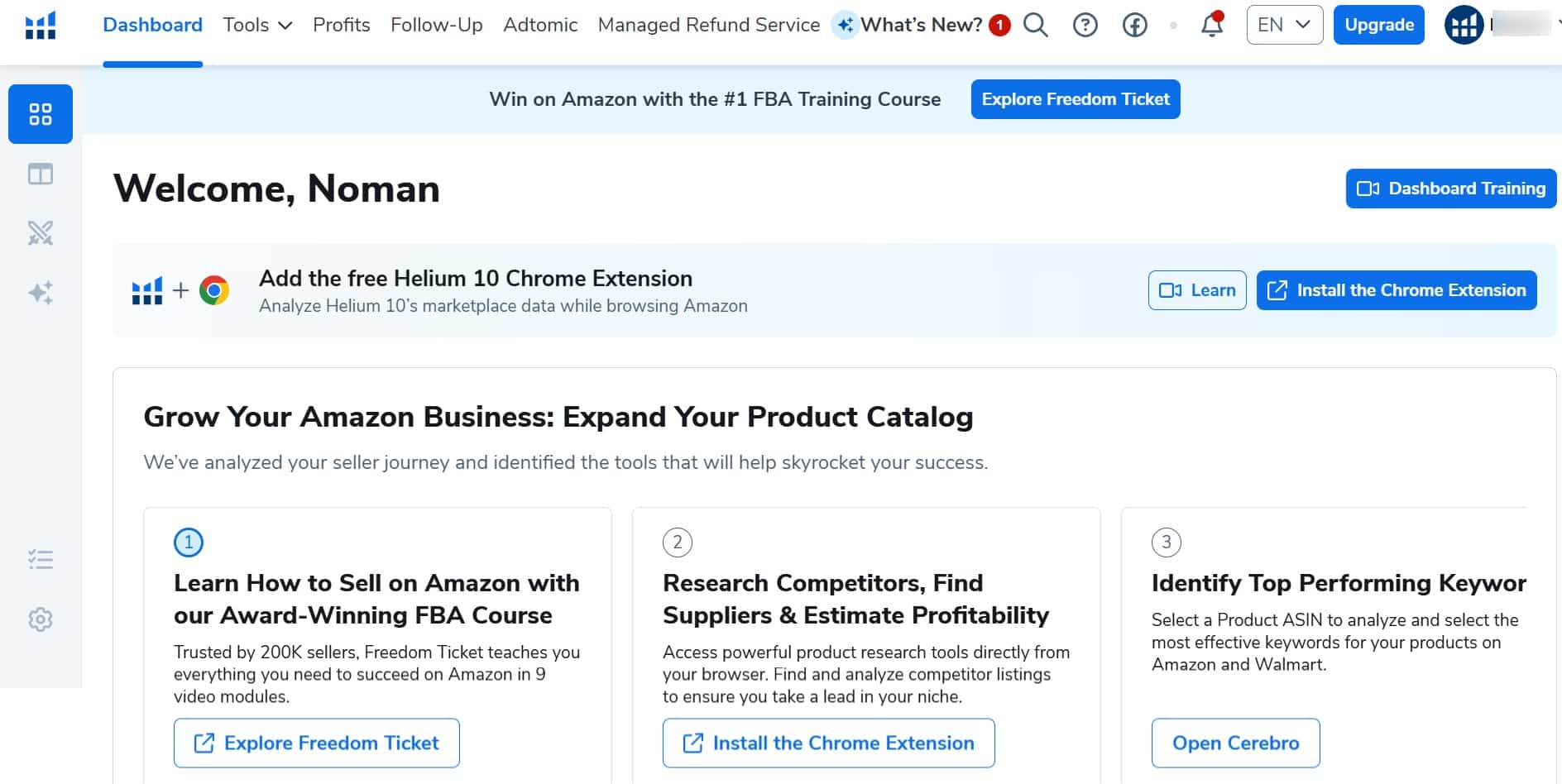
That’s it! You’ve successfully claimed your Helium 10 free plan.
What Will You Get With The Helium 10 Free Trial?
Helium 10 free plan offers limited access to key tools, letting you explore its features at no cost.
Here are the Helium 10 available tools, their functions, and limits.
| Helium 10 Tool Name | Function | Usage Limits |
|---|---|---|
| Black Box | Product discovery | 5 uses |
| Xray | Amazon product research | 10 uses |
| X-ray for Walmart | Walmart product research | 1,000 requests |
| Listing Analyzer | Listing quality check | 2 uses |
| Listing Builder | Listing creation | 2 suggested searches/month (no Amazon sync) |
| Scribbles | Listing optimization | Limited 30-day use |
| Frankenstein | Keyword organization | Limited 30-day use |
| Alerts | Product monitoring | 2 ASINs |
| Inventory Management | Stock tracking | Limited 30-day use |
| Market Tracker | Product Monitoring | Up to 1 market |
| Profits | Sales performance tracking | Limited 30-day use |
| Profits for Walmart | Walmart sales tracking | Market Insights |
What Features Are Included In The Helium 10 Free Plan?
The Helium 10 Free plan gives you limited access to many of the platform’s most popular Amazon seller tools, making it a good way to explore the platform before upgrading.
| Helium 10 Feature | What You Get |
|---|---|
| Product Research | Use Black Box and Xray to discover product ideas, estimate demand, and evaluate competition. |
| Keyword Research | Access Cerebro and Magnet to find relevant keywords, analyze competitors, and improve your Amazon listing visibility. |
| Listing Optimization | Use Scribbles and Frankenstein to organize keywords and create better-optimized product listings. |
| Competitor Tracking | Monitor competing products with Market Tracker and Alerts to keep an eye on listing changes and market activity. |
| Inventory Management | Access Inventory Protector and Refund Genie to help manage inventory and identify eligible FBA reimbursement opportunities. |
| Business Analytics | Track sales, profits, expenses, and other business performance metrics through the Helium 10 dashboard. |
| Training Resources | Explore Helium 10’s learning materials, tutorials, and guides, with the option to upgrade for advanced training and additional support. |
The free plan includes usage limits for most tools, but it provides enough access to test the platform and understand how Helium 10 can support your Amazon business.
What Are The Limitations Of The Helium 10 Free Account?
The free plan gives limited access to Helium 10 tools, but some key features are not available at all. These missing tools are essential for scaling an Amazon business.
| Helium 10 Feature | Used For |
|---|---|
| Cerebro | Finding competitive keyword data |
| Magnet | Discovering high-volume keywords |
| Keyword Sales | Discovering high-volume keywords |
| Advanced Brand Analytics | Analyzing markets and competitors |
| Keyword Tracker | Tracking keyword rankings |
| Refund Genie | Automating refund management |
| Learning Resources | Seller training, PPC strategies, and exit planning |
If you need full access to these features, upgrading to a paid plan is necessary.
What Are the Helium 10 Pricing Plans?
Helium 10 currently offers three main paid plans for Amazon sellers and brands at different stages of growth.
- Platinum Plan: Costs $129/month or $99/month with annual billing. It includes product and keyword research, basic performance tracking, profit reporting, and seller training.
- Diamond Plan: Costs $359/month or $279/month with annual billing. It adds AI tools, advertising automation, inventory management, advanced reporting, and additional seller training.
- Enterprise Plan: Starts at $1,499/month when billed annually and is designed for larger brands that need higher usage limits, multiple user and seller accounts, custom onboarding, and dedicated support.
Helium 10 also has a limited Free plan for users who want to explore selected tools before choosing a paid subscription. Annual billing can reduce the overall cost of Platinum and Diamond compared with monthly payments.
What Are The Helium 10 Add-Ons?
Helium 10 offers optional add-ons for sellers who need higher tracking limits, competitor intelligence, additional AI usage, or advanced training and community access.
Current add-ons include Keyword Tracker starting at $19/month, Market Tracker 360 starting at $650/month, and Elite Sellers Group starting at $99/month.
Additional MCP usage is also available, while Diamond and higher plans include an initial MCP allowance.
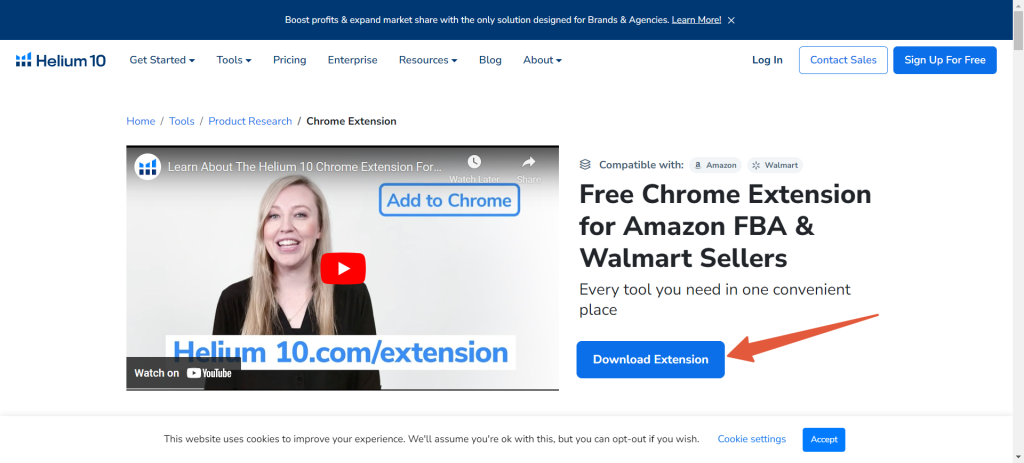
The Helium 10 Mobile App and Chrome Extension are separate tools that help sellers access account information and research Amazon products more conveniently. The Chrome Extension provides product and market data directly while browsing Amazon.
For listing graphics and other design assets, you can also crop SVG online before preparing images or graphics for your product listings.
How Can I Upgrade My Helium 10 Plan?
Follow the 3 simple steps below if you want to upgrade from a Helium 10 free trial account.
Step 1: Sign in to your Helium 10 account.
Step 2: From your dashboard, click Upgrade Plan in the top-right corner.
Step 3: Select the plan that fits your needs, click Buy Now, and complete the payment to activate your premium subscription.
How To Cancel Helium 10 Subscription?
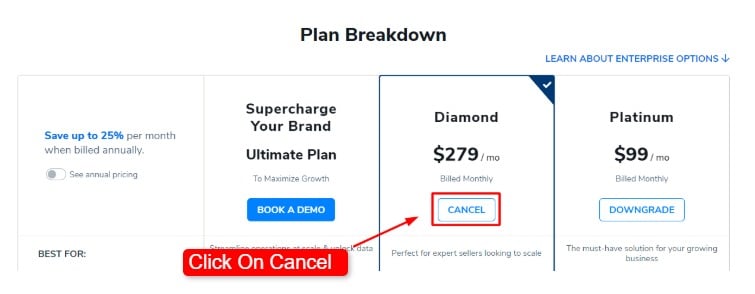
You can easily cancel your Helium 10 subscription at any time and upgrade whenever you choose. The process is straightforward, and changes take effect immediately.
Check out our guide to learn how cancellations, upgrades, and account access work.
Conclusion
The Helium 10 Free plan lets Amazon sellers try many of the platform’s core tools at no cost. You can explore product research, keyword research, listing optimization, and other features before upgrading to a paid plan.
If you need higher usage limits and advanced tools, you can upgrade at any time. You can also use available Helium 10 discounts and promo codes to reduce the cost of a premium subscription.
FAQs: Helium 10 Free Trial
Is Helium 10 Free?
Yes, Helium 10 has a free plan with lifetime access to most of its advanced marketplace research and profit tools for all users.
What Is The Helium 10 Free Trial Code?
There is no Helium 10 free trial code because Helium 10 does not offer a traditional free trial. Instead, you can create an account and use the limited Free plan without entering a promo code.
Is Helium 10 Chrome Extension free?
Yes, the Helium 10 Chrome extension is free for all users. You can download the Helium 10 Chrome extension from the official website of Helium 10.