If you are unsatisfied with the performance of your Helium 10 subscription, cancel your subscription through the easy cancellation process.
After cancellation, you can also request a refund from the Helium 10 team.
How To Cancel Helium 10 subscription?
Follow these simple 6 steps to cancel or delete your Helium 10 Subscription.
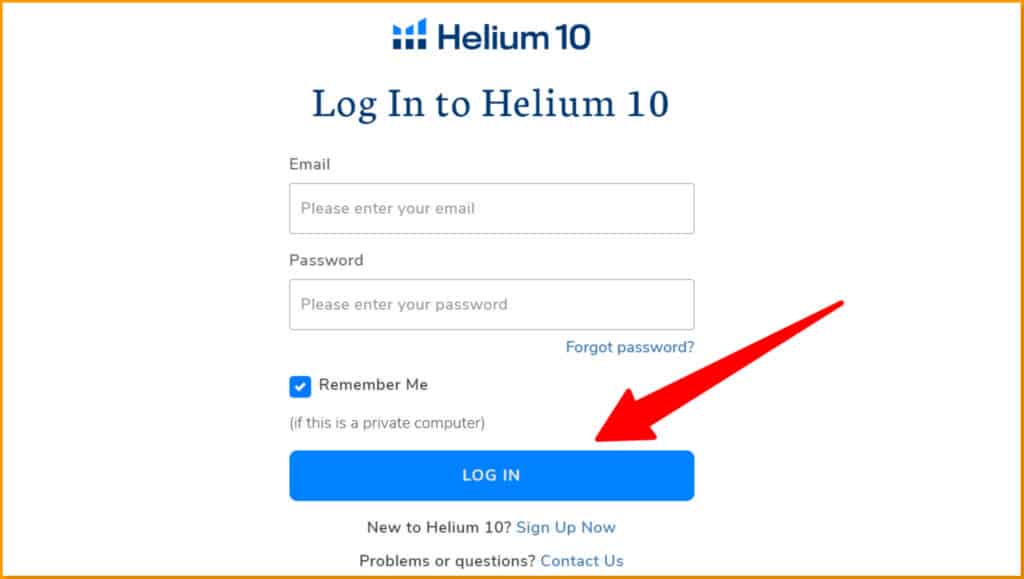
Step 1: Visit the Helium 10 Official website and log in to your account with your email and password.
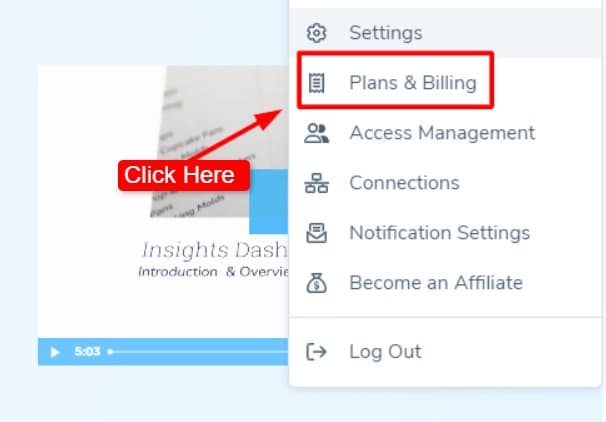
Step 2: Click the profile icon and choose Plans and Billing.
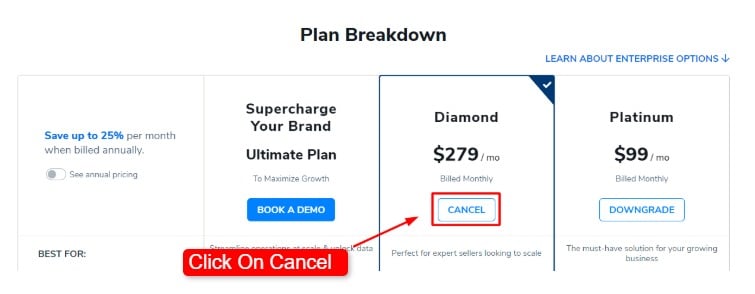
Step 3: Scroll down to see your current plan, and click the Cancel button under your active plan.
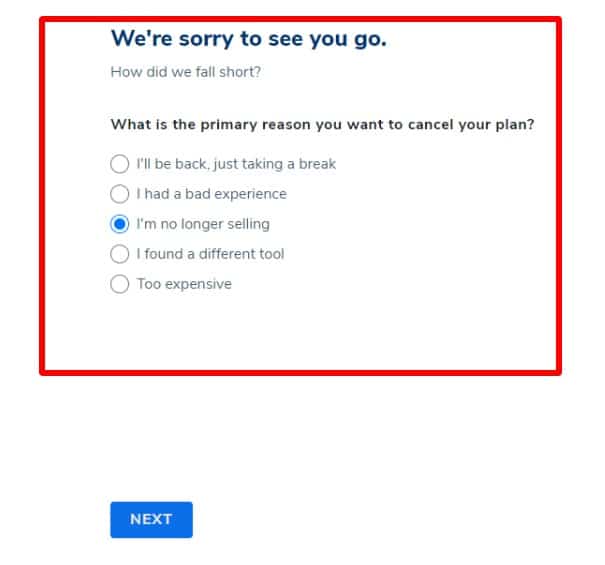
Step 4: Choose your reason for cancelling your Helium 10 subscription from the options shown.
Step 5: Helium 10 may offer other choices, like pausing or switching plans. If you still want to cancel, click Continue.
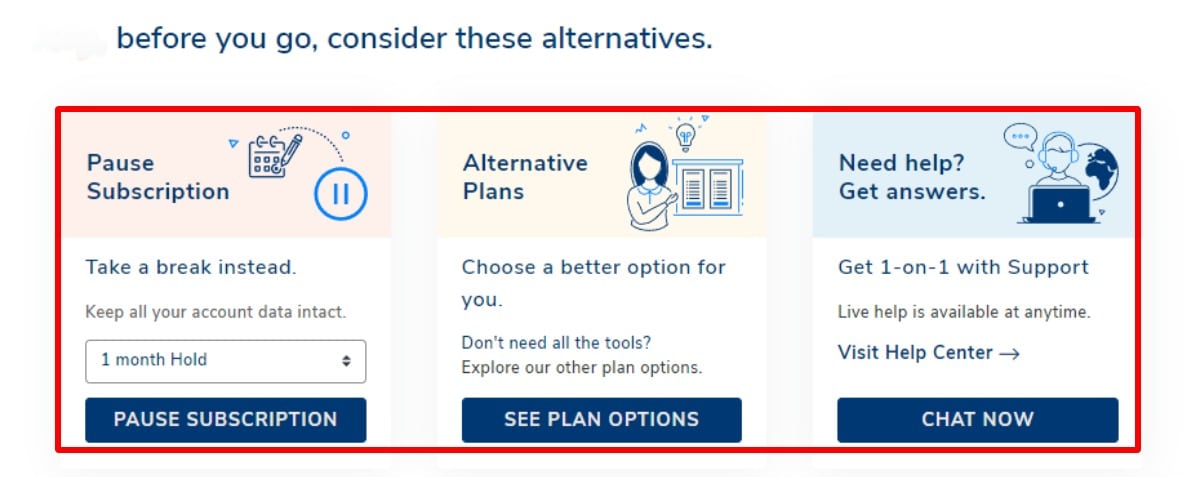
Step 6: Finally, click the final confirmation button to finish cancelling.
How To Request a Helium 10 Membership Refund?
Follow these 6 simple steps to get your money back.
Step 1: Log in to your Helium 10 account using your username and password.
Step 2: Click on the support icon (a circle with a question mark).
Step 3: Select Contact Support from the options shown.
Step 4: Fill out the refund request form with the needed details.
Step 5: Explain why you are asking for a refund and click on Submit.
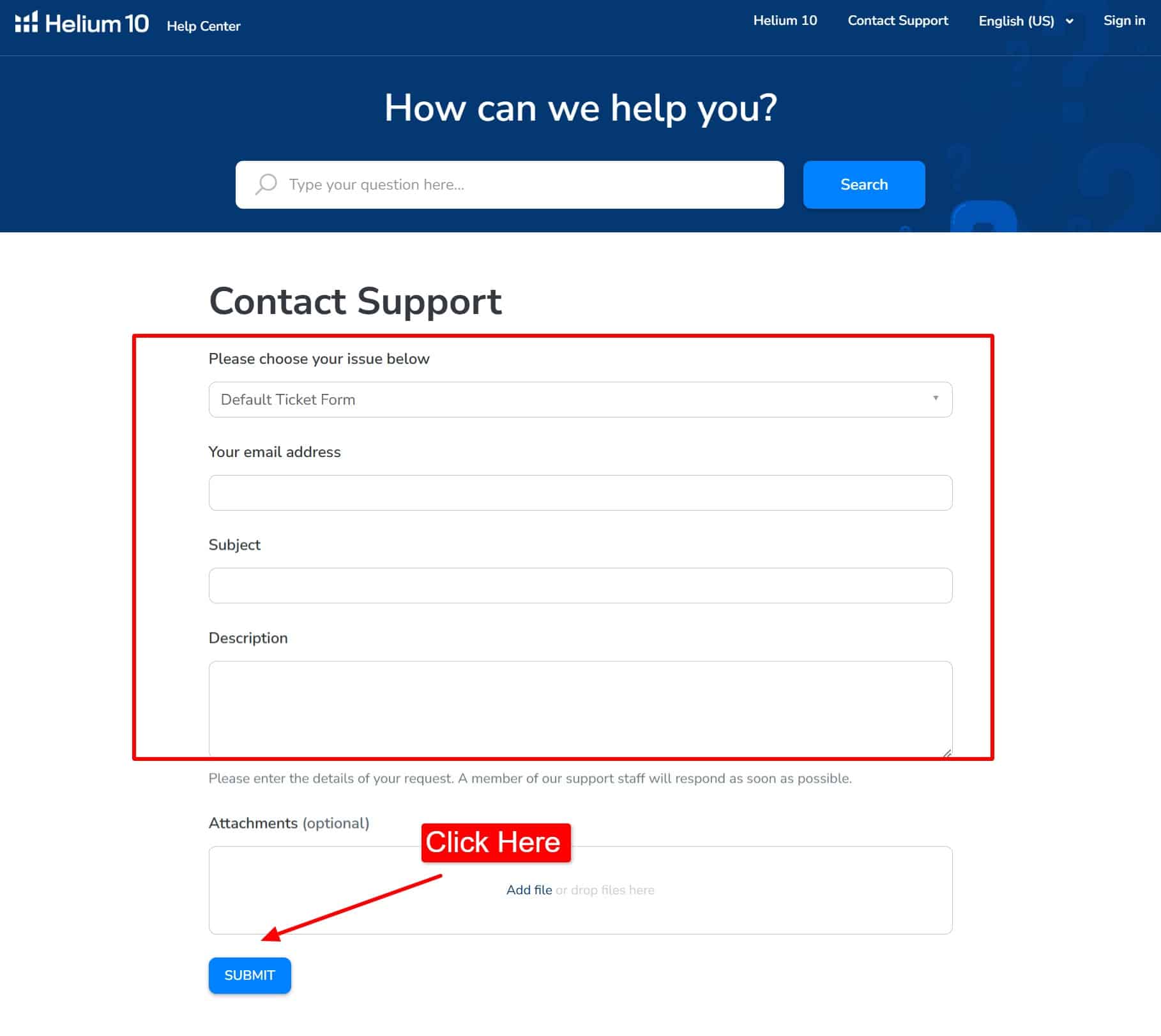
Step 6: Wait while Helium 10 reviews your request to see if you qualify, and the refund will be processed as soon as possible if you meet all the criteria.
What Happens After You Cancel Your Helium 10 Plan?
When you cancel your Helium 10 plan, here’s what usually happens:
- Free access stays: You can still use the Helium 10 free plan to access resources like blogs, training content, and limited versions of the tools.
- Saved data access ends: Helium 10 may keep your data for a short time, but you cannot view or use it without an active plan.
- Billing rules apply: Most plans do not offer refunds for early cancellation, based on Helium 10’s refund policy.
- Subscription timing: Your plan ends at the close of the billing cycle or right away, depending on your plan settings.
- Paid features stop: Tools for keyword tracking, product research, and competitor analysis become unavailable.
- Future savings: If you return later, you can lower your cost by signing up again with a Helium 10 discount during active promotions.
What Are The Alternatives to Cancelling Your Helium 10 Subscription?
Here are some other options besides cancelling a Helium 10 subscription:
- Use It Seasonally: If you only need Helium 10 during busy months, you can subscribe when needed and cancel during slow periods.
- Switch to a Cheaper Plan: If cost is an issue, you can downgrade to a lower plan and keep the essential features while saving money.
- Talk to Support: You can ask for any help from Helium 10’s support team, as they offer special deals or solutions based on your needs. It’s worth asking before cancelling.
- Pause Your Subscription: Helium 10 lets you pause your plan for up to 6 months. This is great if you’re taking a break from selling but want to keep your data.
What Are The Things Need to Consider Before Canceling Helium 10?
Before you cancel your Helium 10 subscription, keep these things in mind:
- Tool Usage: If you use Helium 10 tools like Keyword Tracker or PPC Optimiser a lot, cancelling could affect your business.
- Plan and Billing: Check your current plan and billing cycle, as some Helium 10 pricing plans require a minimum commitment, and cancelling early may incur extra charges.
- Reactivating Account: If you cancel and want to return later, check if there are any fees or limits.
- Customer Support: After cancelling your subscription, you’ll not get Helium 10 customer support for future problems.
- Saved Data: Helium 10 keeps your Amazon seller data, so if you’re thinking of cancelling, you can lose it. Download the important data before closing your account.
Conclusion: Cancel Helium 10 Subscription
Cancelling Helium 10 stays simple when you follow the right steps and timing. The platform gives sellers full control over subscriptions without hidden tricks. Check your billing date, cancel from your account settings, and confirm by email.
If you plan to return later, Helium 10 keeps your data ready. Plus, during Black Friday, Cyber Monday, Prime day and other special deals, you can re-subscribe at discounted rates, making it easy to use the tool only when it fits your business goals.
Frequently Asked Questions
Can I Get A Refund From Helium 10?
Yes, you can get a refund from Helium 10. All you need to do is contact the customer support of Helium 10.
Can You Pause Your Helium 10 Subscription?
Yes, pausing a Helium 10 subscription for one, three, or six months is easy. This flexibility is available for the sake of Helium 10 users.
How Much Is a Helium 10 Subscription?
Helium 10 subscription costs range from $29 to $229 monthly if you choose the annual plan. The monthly plan offers a subscription at $39- $279 per month, depending on your business’s package level.